
We’ve been busy over here at Host Tools. We’re continually working to provide you and your short-term business with the best product in the industry to help keep your booking calendar full. As a result of that goal, we’ve partnered with Welcora. Welcora is a top-of-the-line system that creates a complete, guided guest experience from booking to check-out. In this post, we’ll dive a little deeper into what this exciting new partnership means for your listings.
Host Tools provides an automated, unified calendar for short-term rental hosts, allowing you to seamlessly list on all major channels. Start your free trial today!
What is Welcora?
As mentioned above, Welcora is an automation tool. It serves as a centralized hub for all things related to your guest’s stay. Let’s break down Welcora’s main features:
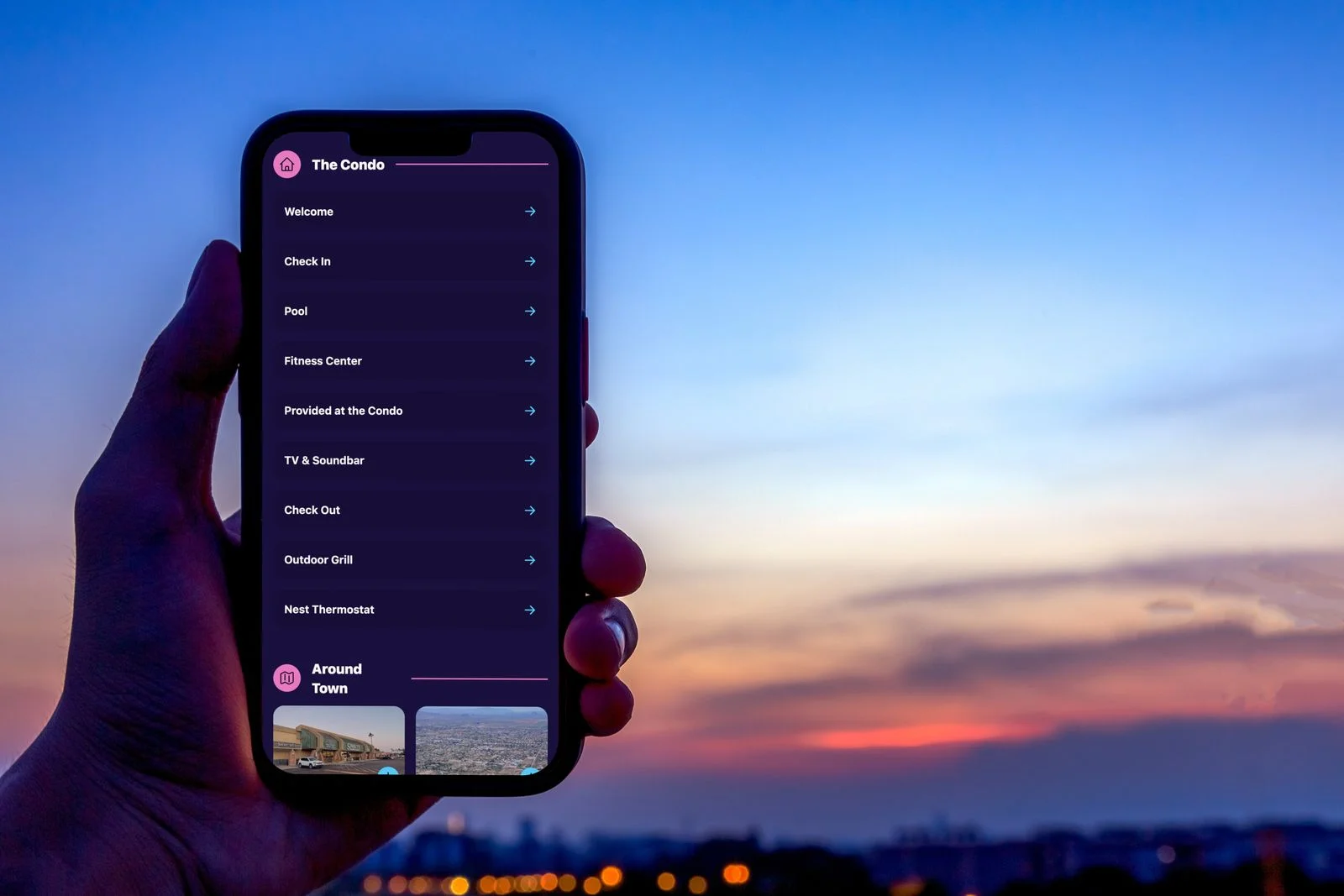
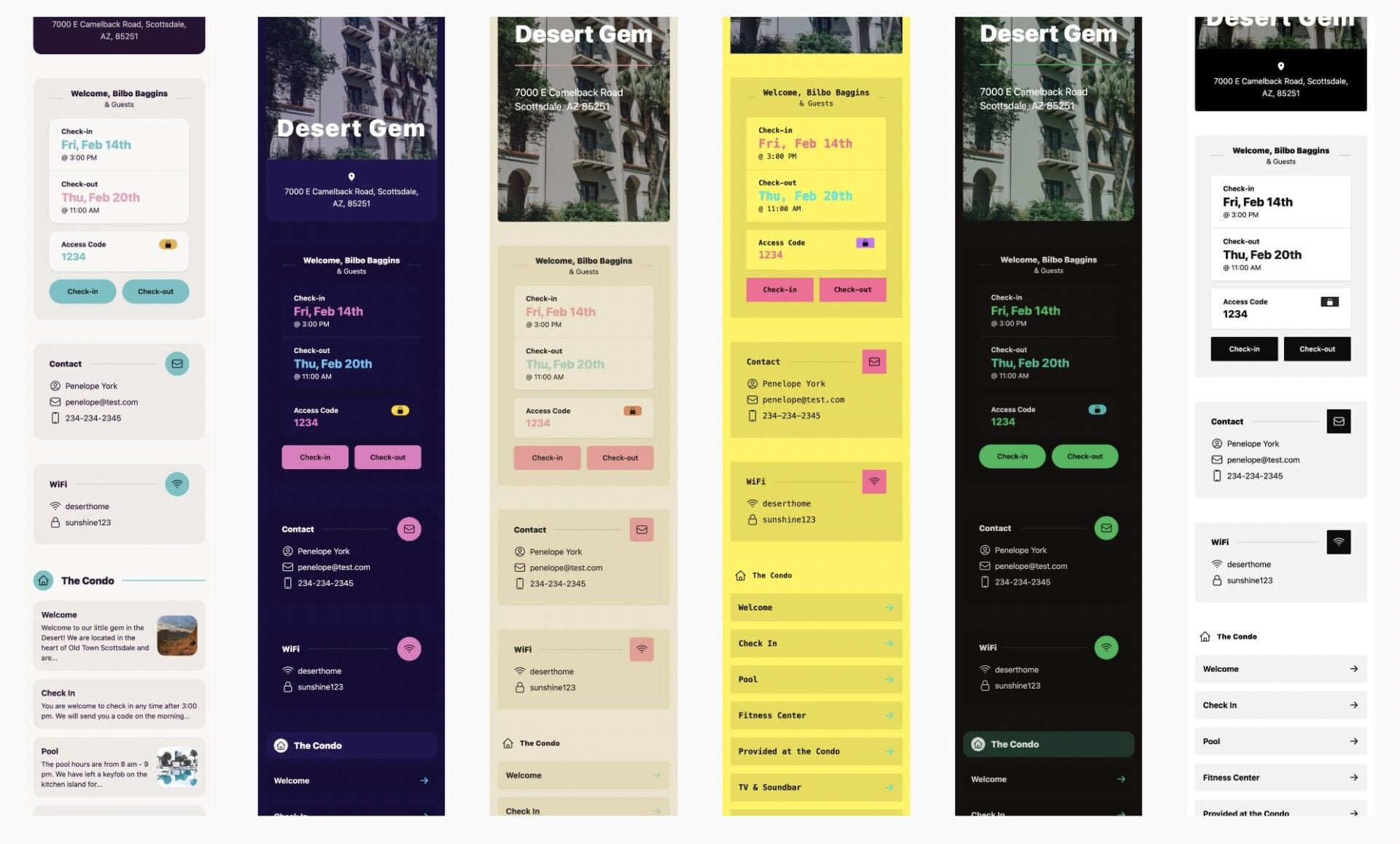
Digital guidebook
If you don’t have a digital guidebook, Welcora can create one for you in minutes. All you need to do is copy and paste the information you have about your property from your house manual (think house rules, check-in/out instructions, instructions on how to use appliances, etc.). Welcora will automatically pull from the information you provide to create a beautiful and user-friendly digital guidebook in seconds. If you already have a digital guidebook for your property, you can easily upload the link to sync it with your listing on Welcora. Once uploaded, you can copy the URL and import it to your automated communications within Host Tools.
Centralizes pre-checks
As you likely know, some hosts require pre-check-in documentation. This may include information like a rental agreement, a formal acknowledgement of your house rules, etc. Rather than emailing these documents or trying to send them via chat, Welcora will automatically send these forms to the guests for them to fill out. Once completed, you’ll have that information connected to their reservation in one centralized place, so you don’t have to constantly be going back and forth in your communications.
Upsells
Furthermore, Welcora helps facilitate upsells. This means you can charge guests for additional experiences or services such as early check-in or late check-out, mid-stay cleanings, and more. If your Welcora account is connected to Stripe, guests can pay for these services directly through the digital guidebook.
How will this integration with Welcora help my business?
Welcora is yet another way to automate and elevate your business. When all of these details are in one centralized hub, it makes the experience more effortless for guests. For hosts, it automates more of the day-to-day and decreases the chance of human errors. Overall, it simplifies the hosting experience for each and every guest. When a guest has a positive, stress-free experience, you’re going to earn more 5-star reviews. Better reviews mean more bookings and ultimately more income. It’s as simple as that!
Integrating Welcora with Host Tools
Follow these easy steps to quickly pair your Host Tools account with Welcora.
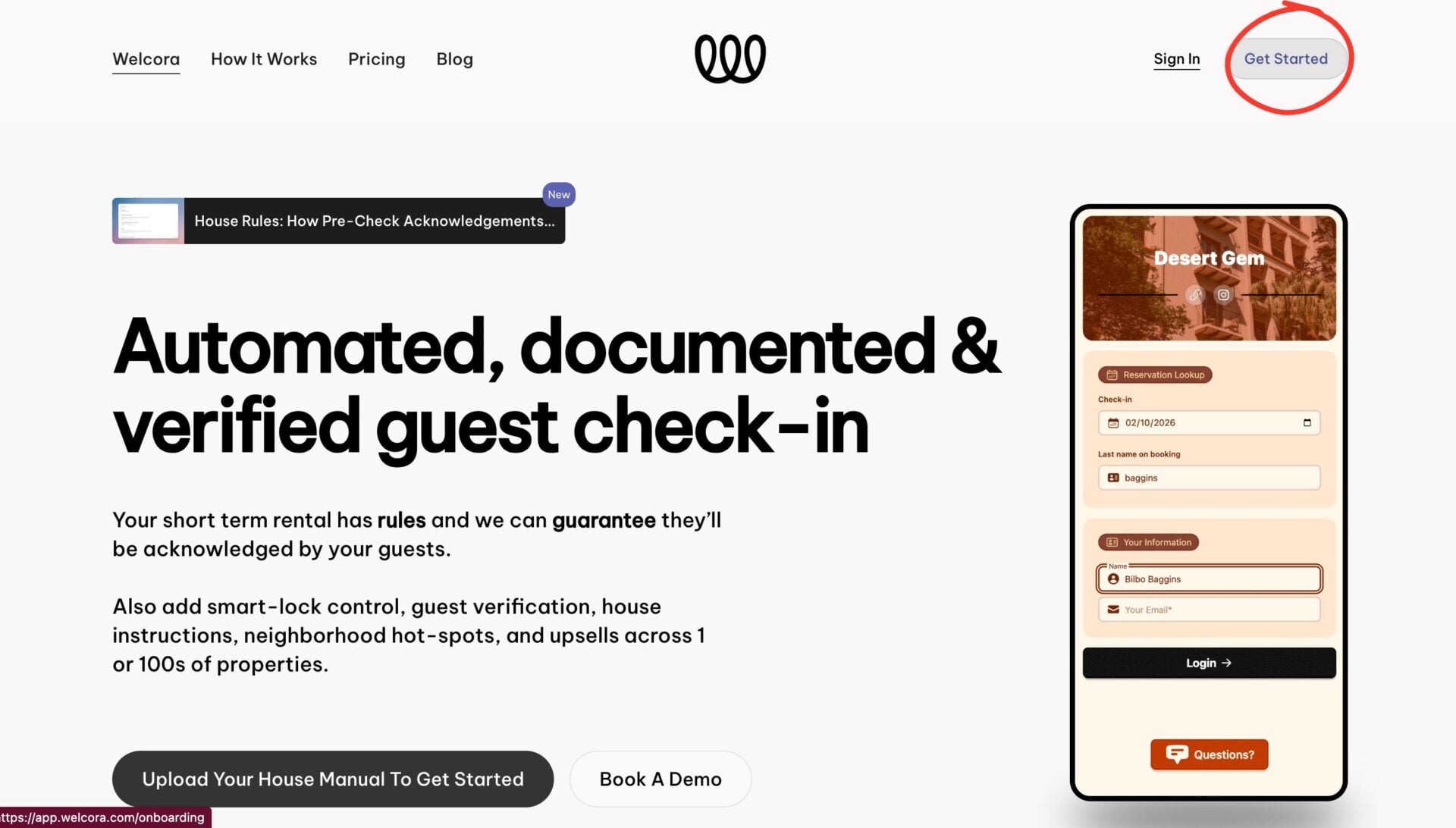
- Head to the Welcora homepage and select “Get Started” in the upper right-hand part of the screen.
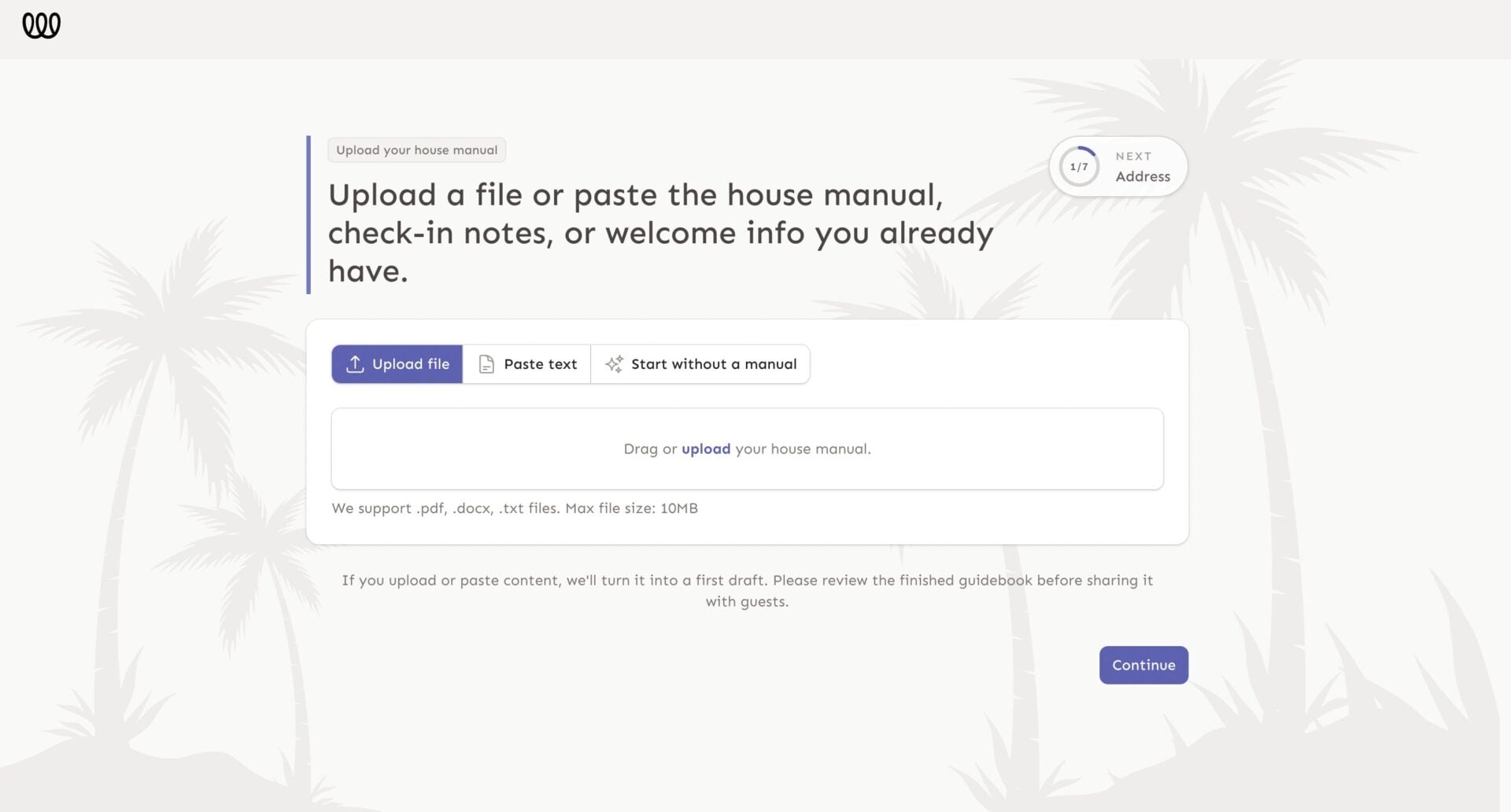
2. From here, upload or copy and paste your house manual or any information you currently have. Welcora will turn this information into a first draft of a digital guidebook for you to review and approve.
3. Then, follow the prompts to complete your account and reach your dashboard.
4. Within your dashboard, select “Integrations” from the sidebar on the left.
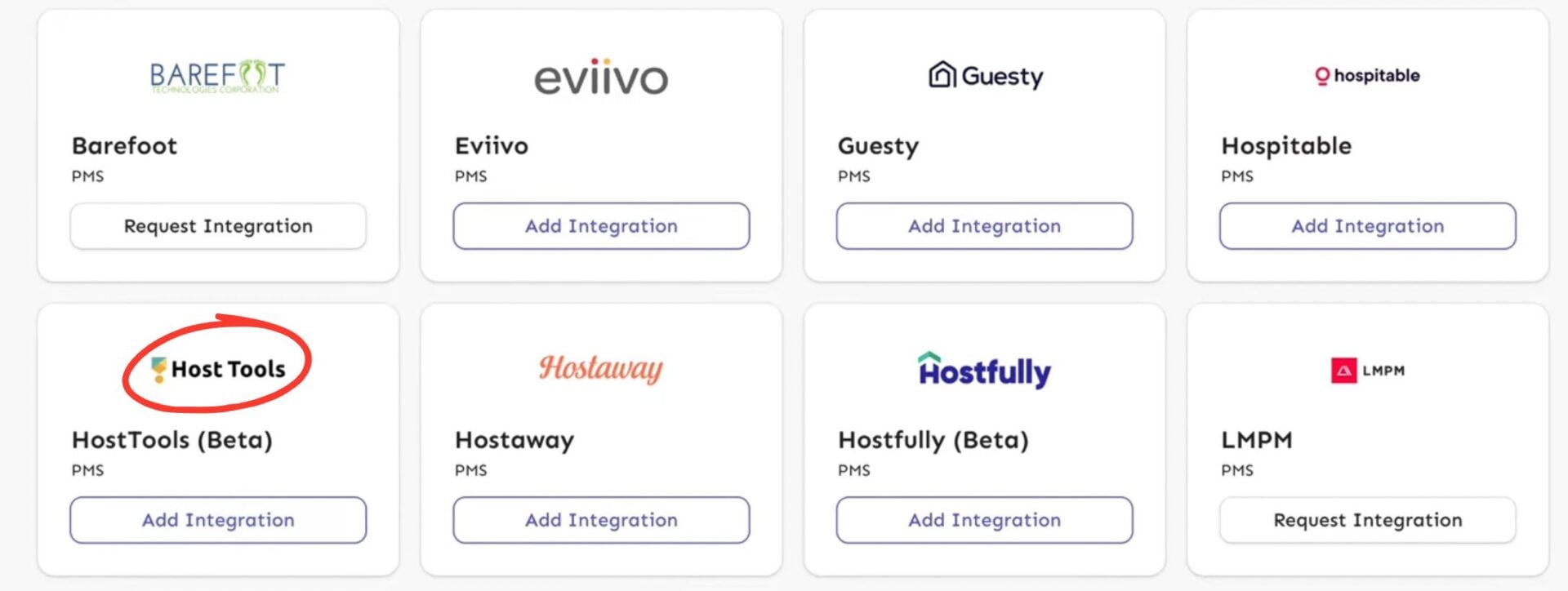
5. Scroll down and select “Add Integration” under the Host Tools tab.
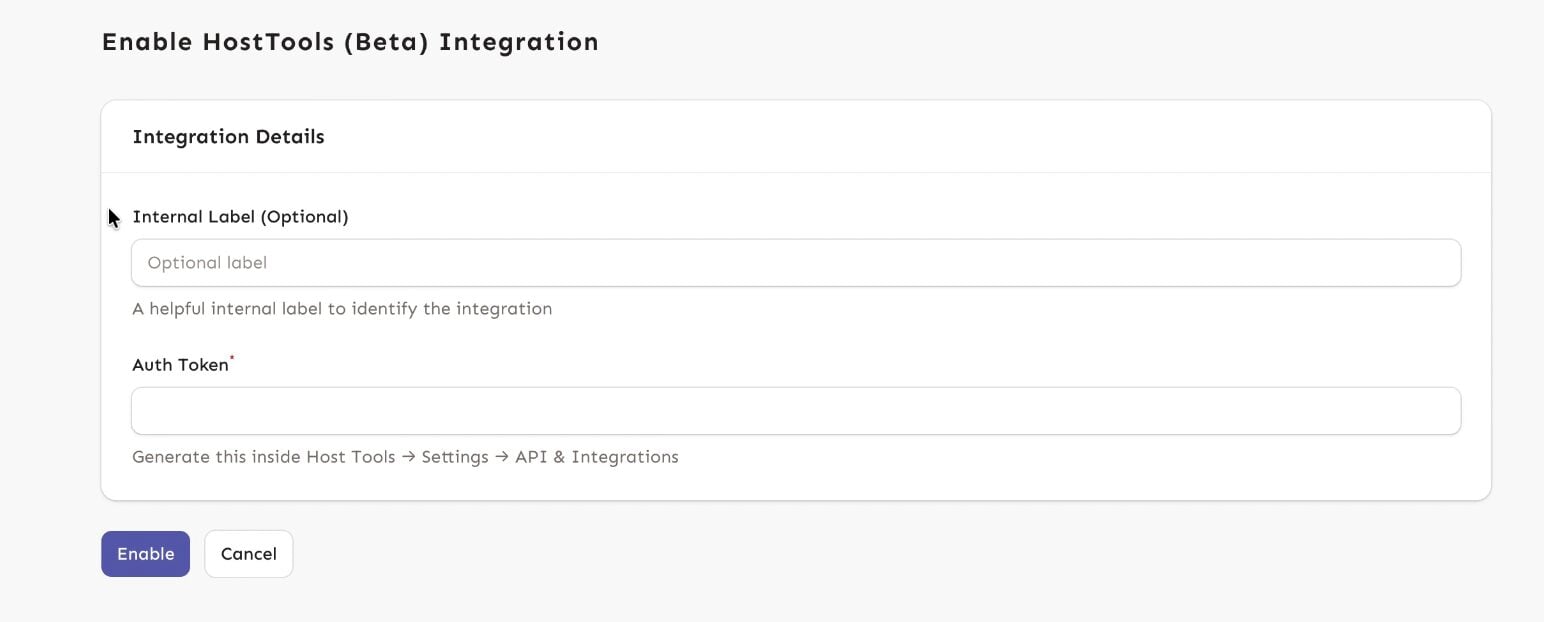
6. From here, you can label this integration. You’ll then need to retrieve your authentication token from Host Tools.
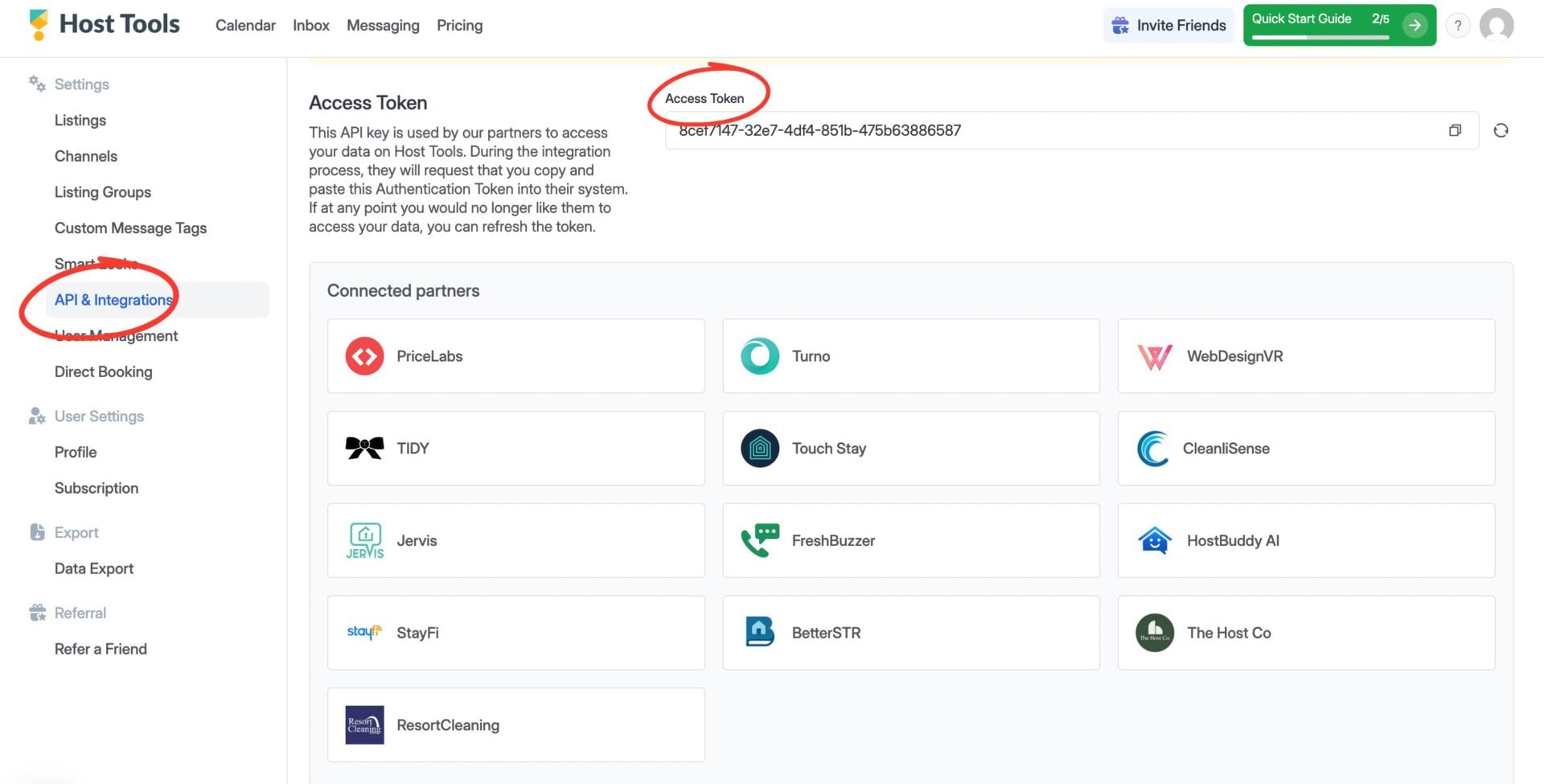
7. Log in to your Host Tools dashboard and select “API & Integrations” from the left-hand side. Then copy the “Access token”.
8. Head back to the Welcora page, paste your Host Tools token where specified, and select “Enable”.
9. Your properties will then automatically upload to Welcora. From here, you can attach an existing guidebook or use the one Welcora created for you earlier.
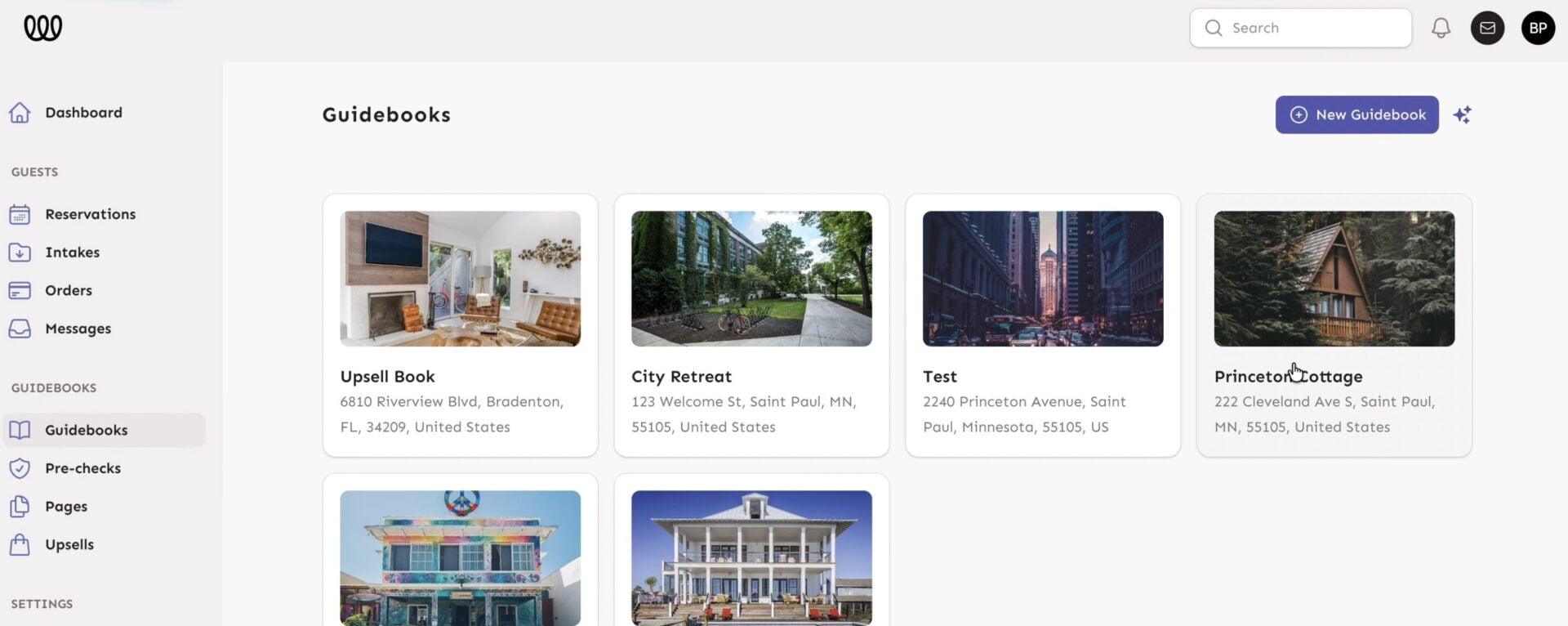
10. When ready, you can add the link to the guidebook to your automated communications. Choose “Guidebooks” from the navigation bar and then select the listing you want to work with.
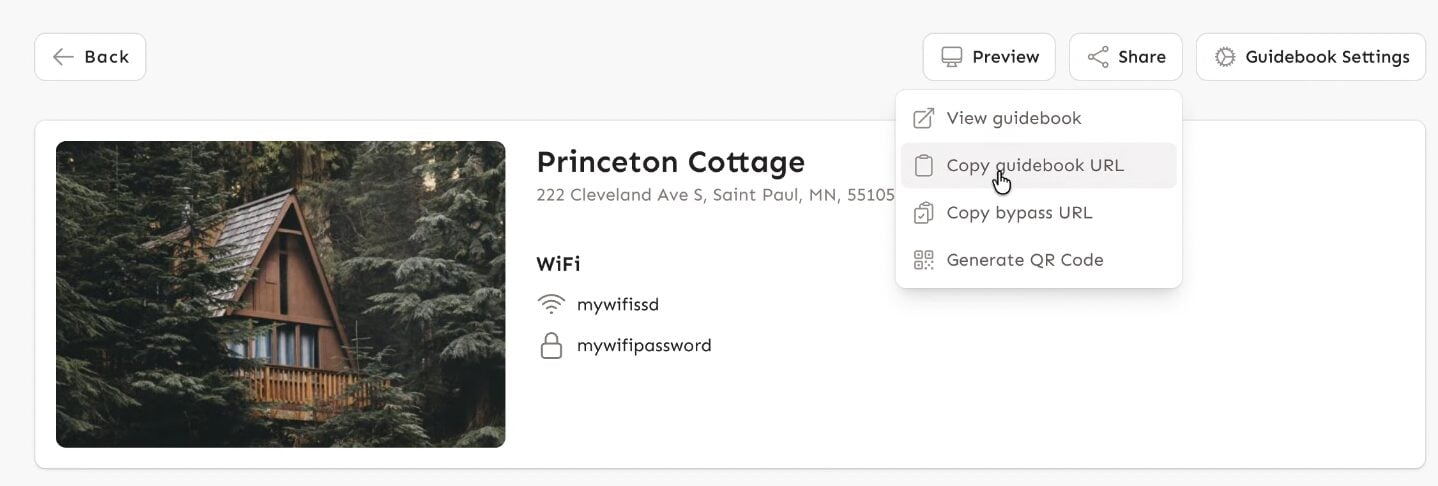
11. When ready, you can add the link to the guidebook to your automated communications. Choose “Guidebooks” from the navigation bar and then select the listing you want to work with.
12. That’s it, you did it!
How much does Welcora cost?
For the services mentioned above, Welcora begins its prices at $10 per property, per month
Final thoughts
As you can see, the Host Tools integration with Welcora is yet another feature to make your life easier. When you can centralize your guidebooks, pre-check requirements, and upsells all in one place, you spend less time managing logistics. Make your Welcora account today to start seeing results!
Host Tools provides an automated, unified calendar for short-term rental hosts, allowing you to seamlessly list on all major channels. Start your free trial today!